2026 version. Doar ocupat mai mult ca de obicei.
cursor + claude = love
M-am apucat saptamana trecuta sa fac un pic de R&D de cum sa rulez containere securizate pana in fund la taxatoare.
Problema de la care am plecat e ca aveam niste containere vechi cu php-fpm si nginx care erau greu de tinut la zi. Ca erau facute de niste oameni in timpul lor liber.
Am norocul sa am acces la o subscriptie de containere din astea securizate, dar sunt facute cumva sa ruleze o singura treaba si se cam fute meciul cand vrei nginx si php-fpm intr-unul singur.
Acum, sa rulezi si php-fpm si nginx nu e asa complicat. Varianta initiala era un script de bash de le pornea pe amandoua, unul dupa altul. Dar era destul de alambicat si “mare”.
Setup-ul initial era cu supervisord si cu descris acolo job-uri & stuff. Da ala nu vine in containerele astea securizate. Si sa-l iau din Alpine si sa-l rasfut, induce dependente suplimentare. Si iar pica la scanarea e vulnerabilitati.
Asa ca, ajutat de Claude imbracat in Cursor, am facut un supervisor mic in Go. Cu lista de ce are de pornit, in ce ordine, cat asteapta pana porneste o aplicatie. The works. Scrie ala tot, inclusiv documentatie. La QA e un pic prostut, ca nu stie cum, dar daca ii dai stack traces, se prinde care e problema si o repara.
Eu de vreo doi ani asa am inceput sa cochetez serios cu programrea ca am avut nevoie sa rezolv diverse probleme din astea foarte specifice pentru corporatie. In mare parte bag Python (ca are sens mai mult in capul meu), dar acum ma folosesc de situatie sa invat si un pic de Go. Ca nu strica in tot ecosistemul asta de Kubernetes sa stii limbaul si sa mai scrii una alta. Mai ales ca o data compilat nu are nici o dependinta externa, ceea ce face ca binarele rezultate sa fie magice.
Da revenind la Cursor si Claude, i-am zis cat s-a putut de omeneste, fara prompting avansat ce vreau si a priceput. Foarte foarte repede din prima.
Cred ca in sfarsit a aparut era a “10x programmer” pe bune, in care poti itera super repede prin cod sa prototipezi diverse si sa validezi idei, dupa care sa implementezi aproape la fel de repede.
ai-ul si altele
Ma gandeam intr-o zi dupa ce m-am intors de la un zbor ca ba, vine AI-ul. E inevitabila treaba.
Toate companiile care vand cate ceva vor sa bage AI cat mai mult sa aibe cat mai putini angajati.
China face fabrici “dark” unde nu vezi tipenie de om si nici lumini aprinse. Muncesc robotii aia 24/7 fara sa-i ia durerea de cap sau de spate.
Totul pentru a produce cat mai mult cu cat mai putini oameni.
Si intrebarea mea e: cine cumpara daca o sa fie tot mai putini angajati? Ca daca n-ai bani, nu cumperi. Degeaba are chinezul fabrica cu 2 angajati daca nu are cui sa vanda.
Cred ca intreabarea e: ce-o sa faca toti aia inlocuiti de AI? Ca de foame o sa le fie foame. Si sete. Si poate o sa aibe nevoie si de o haina ceva pe ei.
star trek section 31

Si uitasem de el ca o sa-l scoata. Si l-am vazut ieri ca e iesit si zic sa-l vad.
Si inceputul e mega jmecher. Hardcore de jmecher.
Si pretty much that’s it. Restul e o balarie. D’aia balarie de balarie.
Nici Michelle Yeoh n-a putut sa-l salveze. Bine, la ce scenariu a avut filmul asta… trebuia ucis cu foc si reincercat in cativa ani. Pacat de banii bagati in efecte speciale.
superman

Efecte misto. N-am ce zice.
Da povestea e asa, parca intri intr-o carciuma unde sunt unii de se bat deja. Dupa aia e toata povestea cu Lex Luthor care si ala, tot asa, il prindem la jumate cu planurile lui.
Si give me a fucking break cu “Justice Gang”. Si de cand e Hawkgirl latina si tipa ca un liliac? Astia au luat-o pe dos, l-au facut pe Green Lantern alb cand el e negru. Ce-or fi zis, sa fim subtili cu o muie ascunsa spre Disney?
Si Jimmy Olsen, oare cat de mult s-au scremut sa scoata un personaj atat de cringe ca si definitia din dictionar de la cringe zice ca ala e prea cringe.
Si dialogurile. Cu acele moment super-cringe, ca nici nu stiu cum sa zic in romana la cringe.
Siii…. Supergirl se duce sa bea pe planete cu soare rosu. Care’i anuleaza puterile. Si atunci… cu ce se duce si se intoarce de acolo daca n-are puteri?
Am tot zis-o si-o s-o zic: astia de la DC Universe simt aceasta nevoie cu orice film pe care-l fac sa se pise pe tot universul beznilor desenate si al animatiilor si sa nu vrea sa faca si ei un film sau o serie de filme cum a reusit Marvel sa faca. Parca se uita cum face Marvel sa faca filme de succes (exceptand pe alea numai cu femei si politically correct de nu s-a dus nimeni sa le vada, da aci dau vina exclusiv pe Disney) si ei fac fix invers.
ballerina
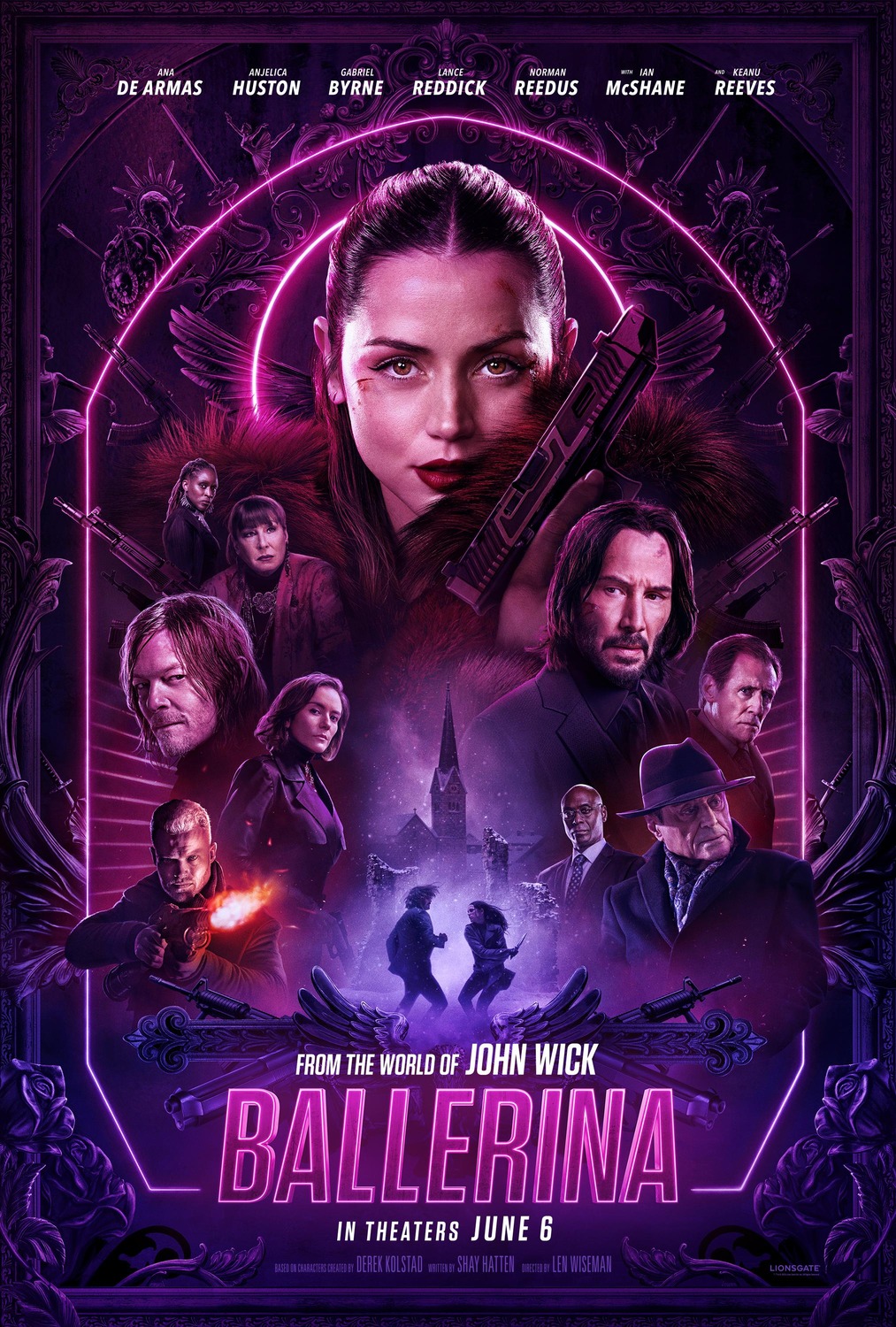
Fucking finally. Nu mai vazusem un film violent de ceva vreme. Mai ales ca John Wick 4 a fost foarte neviolent.
Ruleaza filmul asta. Incepe hardcore si se termina hardcore. Si e hardcore si la mijloc. Si Ana asta e foarte simpatica.
Sper sa mai faca filme cu ea si John Wick.
mi: the final reckoning

S-a terminat cum a inceput. Foarte dragut si cu efecte misto. Si m-a bucurat ca au inchis cercul si i-au adus si pe aia din primul film. Si efecte misto. Scena cu submarinul e mega jmechera.
Farewall, IMF.
alegeri 2025, bis
Sa mai zica altii ca nu suntem o tara din aia incluziva: suntem primii in lume cu presedinte autist. Nicaieri in lumea nu s-a mai intamplat asta.
Sa traim bine. Sau ceva p’acolo.
am obosit
Prima oara am votat la sfarsitul lui 2000.
Facusem 18 ani ceva mai inainte si pe la sfarsitul anului am fost pentru prima oara la vot.
Era Iliescu versus Vadim. Isterie maxima in presa, la televizor, la radio.
Sa nu iasa Vadim ca vine sfarsitul, dam faliment (nu prea aveam ce sa falimentam atunci la cata saracie era), intram in razboi cu ungurii. Ma rog, era sfarsitul daca iesea Vadim.
Si am votat cu Iliescu, ca stiam de la aia mai mari ca e muist si comunist, da nu ne baga in razboi. Raul cel mai mic. Aia am votat.
24 de ani mai tarziu am votat mereu raul cel mai mic:
- in 2004 l-am votat pe Basescu ca sa nu iasa Nastase presedinte si sa fure tot ce se putea fura.
- In 2009 l-am votat pe Basescu din nou. Sa nu iasa comunistul de Geona presedinte. Bine, si prostanac pe deasupra.
- In 2014 l-am votat pe Iohannis sa nu iasa Ponta. Care si-a facut lansarea pe 23 August, cu 70 de mii de oameni cu steaguri si ce-au mai adus acolo. Habar nu aveam cine e Iohannis, nu auzisem niciodata de el.
- In 2019 am votat cu Iohannis in scarba. In scarba ca s-a aliat cu PSD-ul si am fost foarte aproape s-o votez pe Dancila. Da am zis hai sa nu privim cerul ca prostii.
- In 2024 am votat cu Lasconi. Dintre toate optiunile mi s-a parut cea mai putin corupta. Cum s-ar zice, iar raul cel mai mic. Da cum n-a iesit cine trebuie in primul tur, PSD+PNL a pus CCR sa anuleze alegerile.
- In 2025 se mai baga o fisa cu alegerile. In primul tur am pus stampila pe autistul suprem al Romaniei. Nicusor Dan pentru cine are dubii. Era raul cel mai mic.
Am obosit sa votez raul cel mai mic.
Asa ca o sa votez cu Simion pe 18 Mai. Daca tot e asa rau cum chitatie toate televiziunile prietene cu PSD si PNL, cred ca a venit momentul sa se dea foc la tara si sa mai bagam o fisa peste 5 ani. Din ce o mai ramane din ea. Daca o mai ramane.
Dar am obosit sa tot votez raul cel mai mic.
Am obosit.
hatereala
Asta e un post de ma tineam de mult sa-l scriu ca aveam boala pe o aplicatie.
Youtube Music
Am primit acu ceva vreme un cont din ala de bogati la Youtube si nu mai trebuie sa dau bani la Apple Music sa ascult in masina lucruri.
E, YT Music asta e OK, chiar parca nimereste melodiile mai bine ca Apple.
Dar, are o problema: uita ce facea si cand vrei sa asculti a doua zi muzica nu pleaca de unde a ramas, iti arata ecranul ala de start si te descurci tu mai departe. Problema in schimb e ca nu face asta consecvent. Gen 2-3 zile stie unde a ramas, a treia zi seara e “uite aci o lista, vezi si tu daca-ti place ceva”. Si este mega enervant cand gasesc ceva frumos si pula, dispare din lista.
Cel mai enervant? O luna jumate asa nu l-am deschis ca n-am condus si era muzica din alta parte. Intre timp au aparut update-uri, si-a facut update-uri etc. Dupa o luna jumate l-am deschis si era fix de unde ramasese.
A doua zi a uitat si iar mi-a aratat ecranul ala de inceput.
As vrea sa bat pe cineva, ca sigur unui inginer sau product owner i s-a parut o idee buna asta cu “lasa ca o sa caute muzica fraierul pana gaseste altceva, da aleator, sa-si piarda mintile”.
Am asa un hate pe diverse aplicatii din astea de securitate, mai ales alea de scaneaza dupa vulnerabilitati ceva maxim.
Parte din viata asta de securist e sa vad ce vulnerabilitati sunt, sa vad daca’s reale si sa fixez sau sa dau la fixat daca nu e de mine (a se citi “cineva trebuie sa programeze ceva”).
Mai nou, primesc rapoarte de vulnerabilitati, pe care trebuie sa le validez. Si cumva sunt dezamagit ca nu sunt dezamagit de calitatea jalnica a diversilor producatori de scannere de vulnerabiliti.
Azi citeam un Excel foarte lung cu vulnerabilitati gasite si ce vad “Discovered SMTP Service”. Pana mea, d’aia e server de email, sa asculte pe 25 si sa primeasca mailuri, nu? E, in mintea cuiva s-a creat o basina care si-a facut drum pana intr-un software.
Descriere “vulnerabilitate”: “SMTP stands for Simple Mail Transfer Protocol. SMTP is a set of communication guidelines that allow the software to transmit an electronic mail over the internet is called Simple Mail Transfer Protocol. It is a program used for sending messages to other computer users based on e-mail addresses. Vulnerabilities in SMTP server listening on a non-default port is a Medium risk vulnerability that is one of the most frequently found on networks around the world that can lead to spamming and backdoor attacks.”
Remediere “vulnerabilitate”:
“Exposing the specified service to the public internet is not recommended as it can provide a pathway for attackers to the application listening on that port, therefore as a best practice
- Disable the service identified on the port if it is not in use
- If the service is in use, it is suggested to avoid using the default ports. The port may be changed to a random port in compliance with the organization’s policies
- Additionally, consider preventing public access by making the service accessible via a secure VPN
- If making the service private is not viable, restrict the service by whitelisting the IP addresses that require access”
Cum? Cum? Cum? Asta e din categoria ca atunci cand mi se pare ca sunt prost trebuie sa-mi aduc aminte ca’s oameni ca astia de mai sus care respira.